Wedding Moments
Save the Date Wedding Website Template - Editable Digital Invitation from Canva
Save the Date Wedding Website Template - Editable Digital Invitation from Canva
Couldn't load pickup availability
Efficiently Using the Save the Date Wedding Website Template
Save The Date Wedding Website Template – Editable Canva Digital Invitation
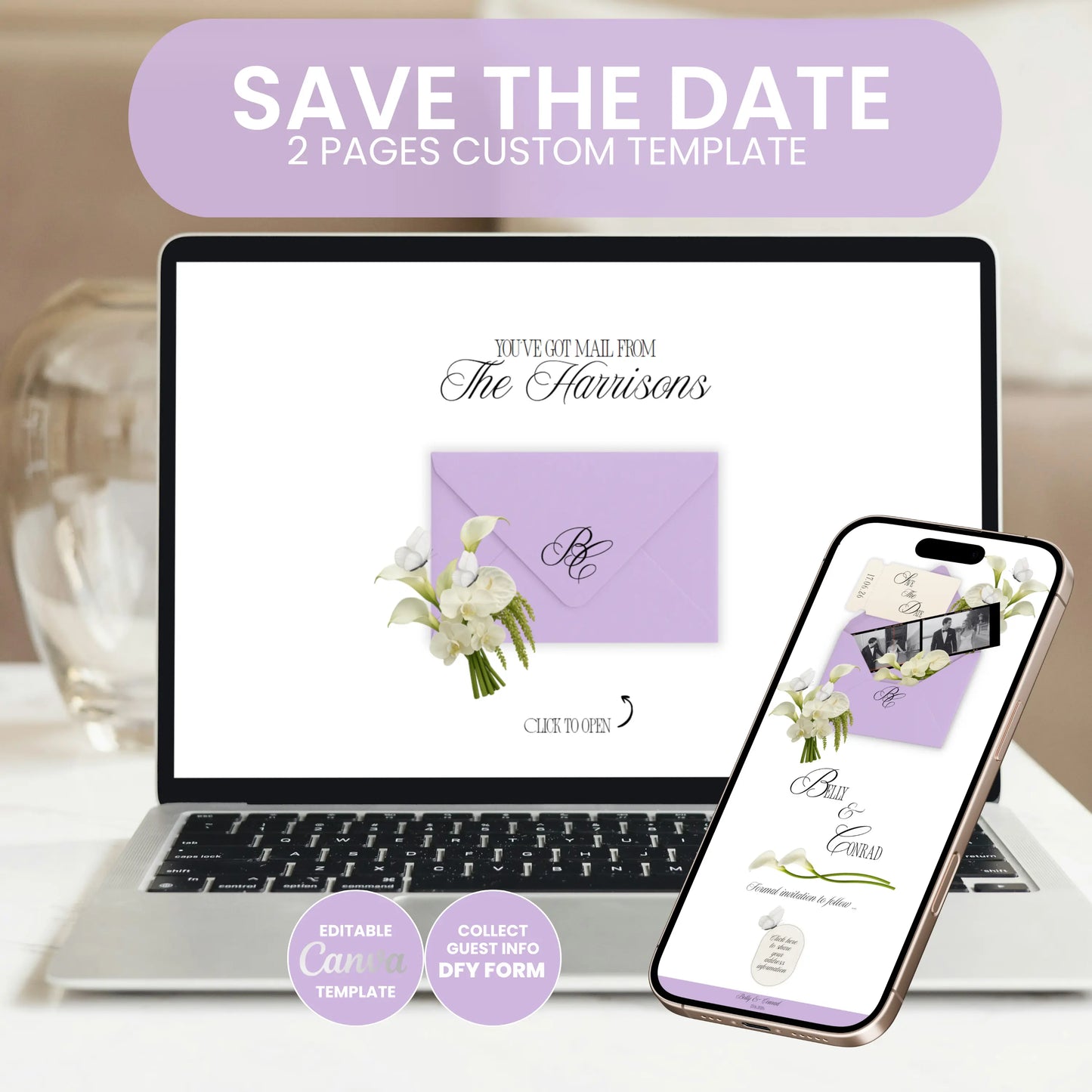
Give your wedding a stylish, modern announcement with this elegant Save The Date Wedding Website Template.
This high-quality website design combines timeless elegance with an interactive Envelope-Opening experience. Your guests virtually open an elegant envelope and discover your Save the Date information step-by-step – with floral details, soft colors, and a luxurious, modern aesthetic. Ideal for couples who want to announce their wedding stylishly without relying on classic paper goods.
The website includes all essential elements for a modern Save the Date announcement: an animated homepage with an envelope design, personalized names, date & details, and an optionally integrated RSVP form for collecting guest information. Everything is fully mobile-optimized and looks professional on smartphones, tablets, and desktops.
Editing is simple in Canva: text, colors, fonts, images, and content can be customized in minutes – no coding skills required.
What's included:
• Save The Date Wedding Website Template (editable in Canva)
• Interactive Envelope-Opening Design
• 2-page Custom Website Layout
• Integrated RSVP form (Google Form possible)
• Fully customizable: texts, colors, fonts, images & videos
• 100% mobile-friendly & responsive
• Share via link, QR code, SMS, or email
• Free Bonus: 5" × 7" Printable Save-the-Date Card Template
• Step-by-step PDF guide included
• Exclusive Freebies: Canva Crash Course + "How to Edit Your Website" Guide
How it works
1. Purchase this digital product
2. Download the PDF with your exclusive Canva template link
Open the PDF and click the Canva link – your template will automatically load in Canva. Customize names, texts, colors, and images individually.
4. Optionally connect your RSVP via Google Forms or Invitarium.io (instructions included) and insert the link into Canva
5. Test the preview on your smartphone, tablet, or laptop
6. Publish your Save-the-Date website & share the link with your guests
Important Notes
• Digital product – no physical item will be shipped
• Due to the nature of digital downloads, all sales are final
• License for personal use only (no resale or redistribution of the template)
• Colors may vary slightly depending on the screen
• Our support is available at any time for questions or issues
What is the Save the Date Wedding Website Template?
The Save the Date Wedding Website Template is a specially designed digital template that helps couples announce their special day in advance. This template is particularly user-friendly and can be customized with Canva, a popular online design tool. All important information, such as the wedding date and venue, can be easily inserted and presented. This provides guests with all necessary details clearly and appealingly in good time – perfect for modern, digital invitations.
Advantages of Canva's Editable Digital Invitation
Canva's editable digital invitation offers numerous advantages over traditional Save the Date cards. It is flexibly customizable, allows for the insertion of personal photos and texts, and can be completed in just a few minutes. Furthermore, the template is sustainable as no physical materials are needed. This digital solution significantly simplifies planning, especially for larger guest lists, as invitations can be easily distributed via email or social media, saving time and costs.
How to best use the template
To make the most of the Save the Date wedding website template, first choose a design that matches the style of your wedding. Then, you can enter all relevant information and adjust colors, fonts, and images as needed. Another tip is to have friends or family members review the finished invitation before sending it, to avoid errors. Finally, the invitation can be sent digitally or shared as a link to achieve maximum reach.
Share